Contents
Field Guide · 08 of 17
Events, for organizers
Build a Meet and Show in the modular event builder, open ticketing and vendor applications, staff the gate, and run check-in — all from the web.

Running an event on RALLIER means authoring it on the web. You need an events role in your club — owner, admin, moderator, or event organizer — to reach the tools below. Once you have one, everything from the first draft to the last scan at the gate lives in your club's admin area.
On the web
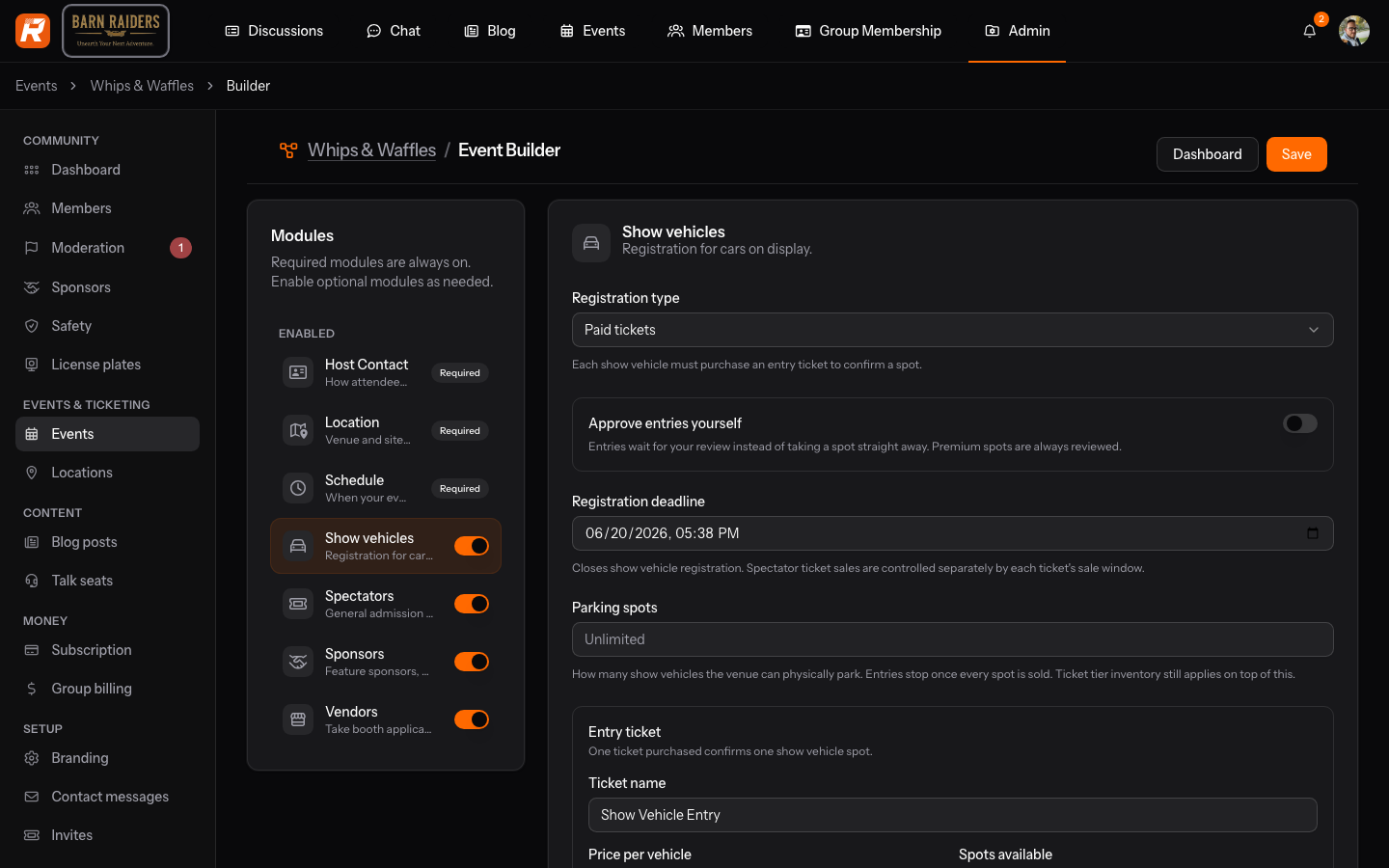
Click Create Event and you land straight in the builder with a draft already started — no long form to fill out first. The builder is modular: Schedule, Location, and Host Contact are always on, and you switch on whichever of Show Vehicles, Spectators, Vendors, and Sponsors apply to your event. Each module has its own mode — off, free, or open to applications — so a small cars-and-coffee and a full car show use the same builder with different modules turned on.
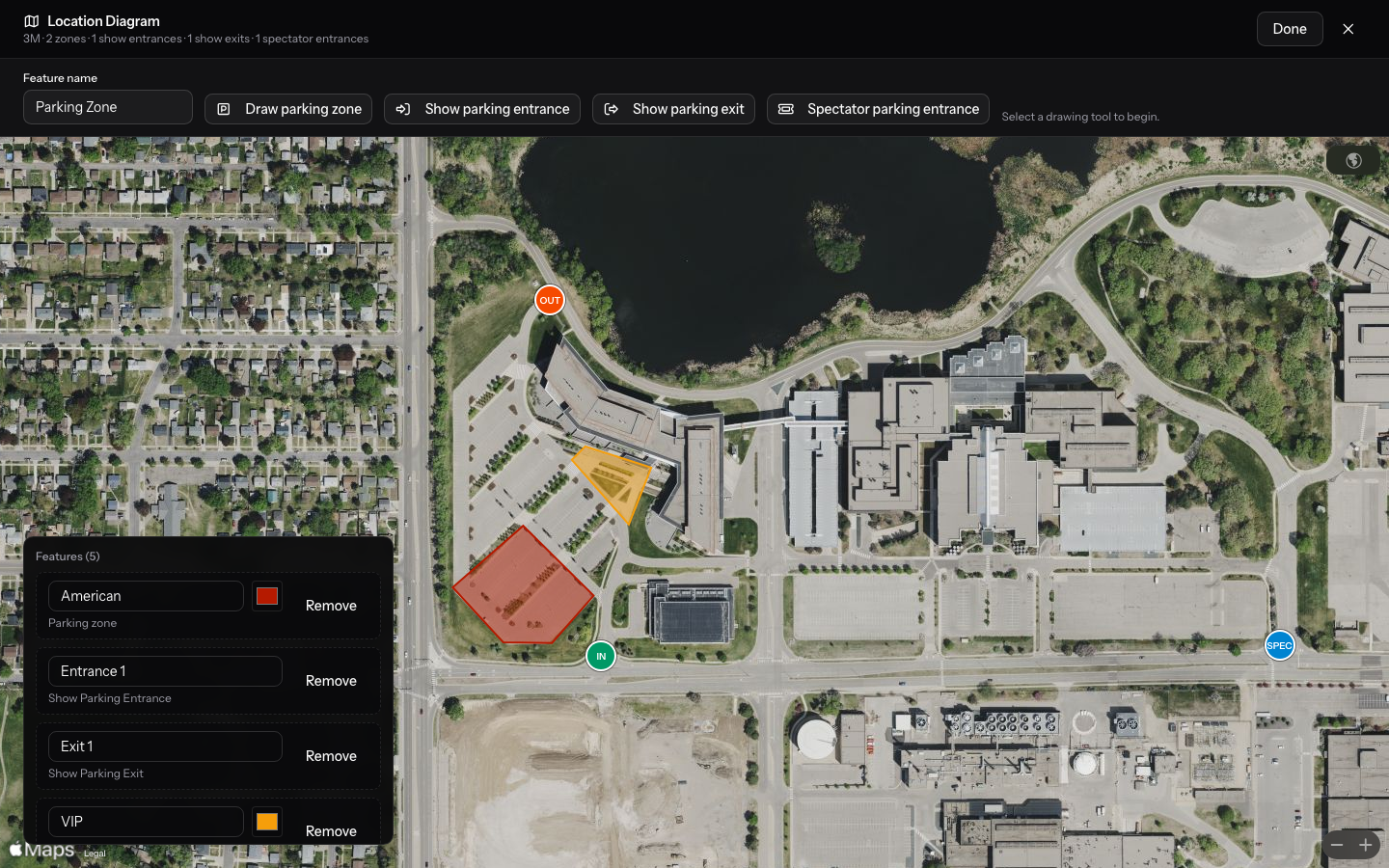
Location includes a site map: draw parking zones, show-vehicle entrances and exits, and a spectator entrance, and pin specific ticket types to a zone so premium parking sells against its own count. Host Contact lets you point at a member with an events role — their name, email, and phone stay current automatically — or type in the details for someone outside the club.
Registration has three shapes. Members register themselves, guests register with just an email address (no account needed), and show-vehicle owners register a specific car from their garage. You choose whether show registration is free or paid, and whether free entries need your approval first or are accepted automatically up to your parking count. Ticketing lets you define ticket types — general admission, premium spots, whatever your event needs — each with its own inventory and a sale window that opens and closes on its own schedule. Attendees check out on the event page; you never leave the web app to manage it.
Vendors and sponsors apply through a public page on your event, or through a share link you control if the event is private. You define the tiers they can apply to, each with its own benefits and booth inventory, and review every application from a queue — approve, reject, or cancel a confirmed spot. Approved applicants who owe a payment get a link by email; once they're squared away, their spot is confirmed and their entry passes go out automatically, no RALLIER account required on their end.
Staff work the gate from Staff, where you assign staff, lead, or manager standing and build a task board — "Vendor Check-in," "Show Field," whatever lanes your event needs. A task can be scoped to admit only certain audiences, so the volunteer on Vendor Check-in can't accidentally wave through a spectator, and an unscoped task means that person works the whole gate. Check-in is one screen for every kind of attendee — scan a QR code or type a code by hand, and a lead or manager can undo a mistaken scan on the spot. If someone shows up with a confirmed spot but never got a pass, staff can issue one right from the gate.
Publish your event when it's ready, and everyone in the club gets notified. From there you can cancel it or mark it complete; RALLIER guards the transitions so you can't, say, complete an event that was never published. You can also turn on an Apple Wallet pass for tickets, per event — it's off by default, and it's your call whether a scannable live ticket or a Wallet pass fits your event better.
In the RALLIER app
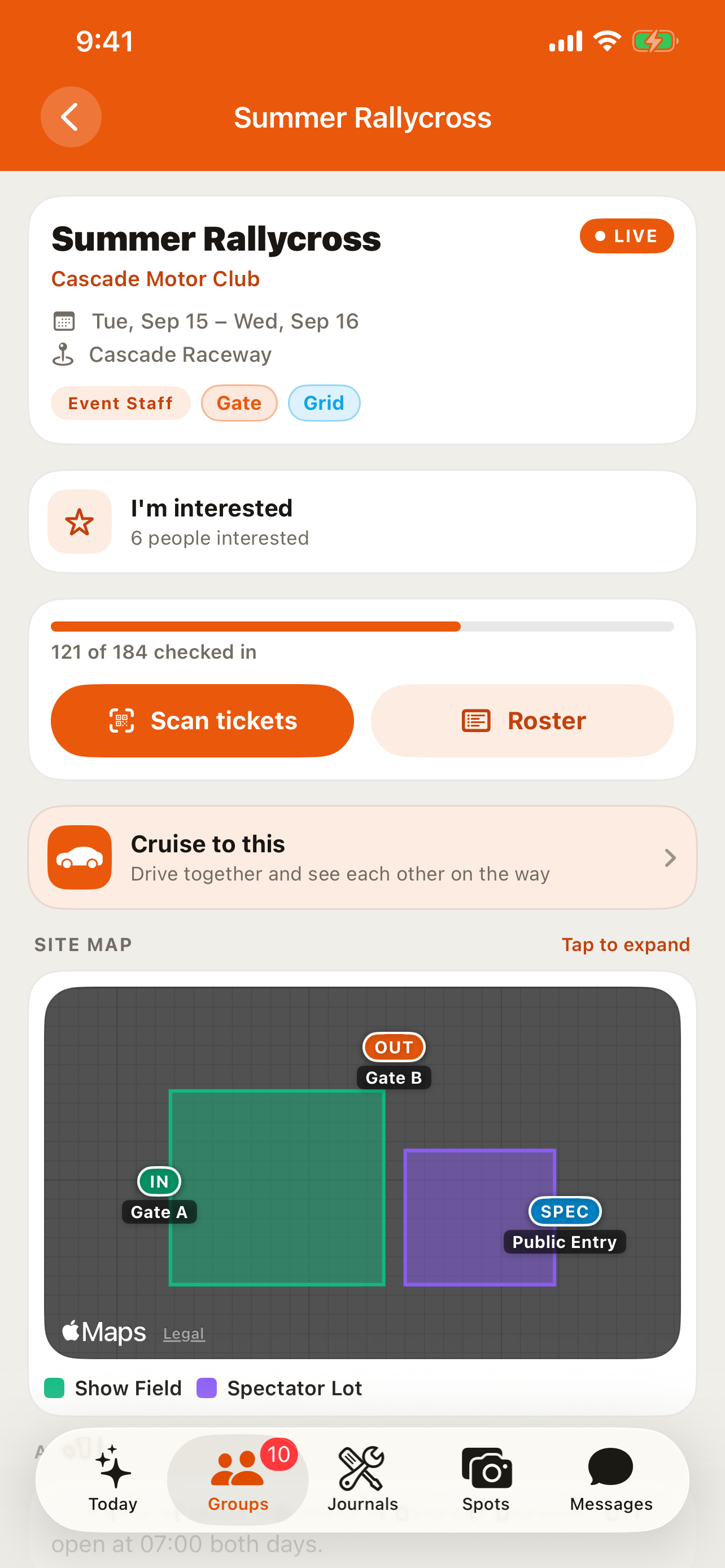
Members see the roster, the site map, and an I'm interested marker on both iOS and Android, so people can flag an event before deciding to register. Staff can scan tickets at the gate right from their phone, using the same scanner as the web check-in screen. The apps never sell tickets — registration, ticket checkout, and vendor applications all happen on the web, by design.
Tips
- Start with the Meet & Show shell rather than a blank form — you'll be in the builder in one click, and nothing is locked in until you publish.
- Turn on approval for free show registration if you expect more cars than parking spots; leave it off and RALLIER will simply stop scanning cars in once the lot is full.
- Give your gate staff scoped tasks for anything with its own line — vendors, will-call, VIP — and leave the rest of your crew unscoped so they can cover everywhere else.
- A private event's vendor and sponsor page only opens through your share link, so revoke and reissue it any time you want to close that door.
- Check Journals if you want to document the build behind a show car you're bringing, and Safety and moderation for how your club handles a reported attendee.