Contents
Field Guide · 05 of 17
Spots
Photo posts tied to a place — post one, give a rev, bookmark it, or comment on someone else's.
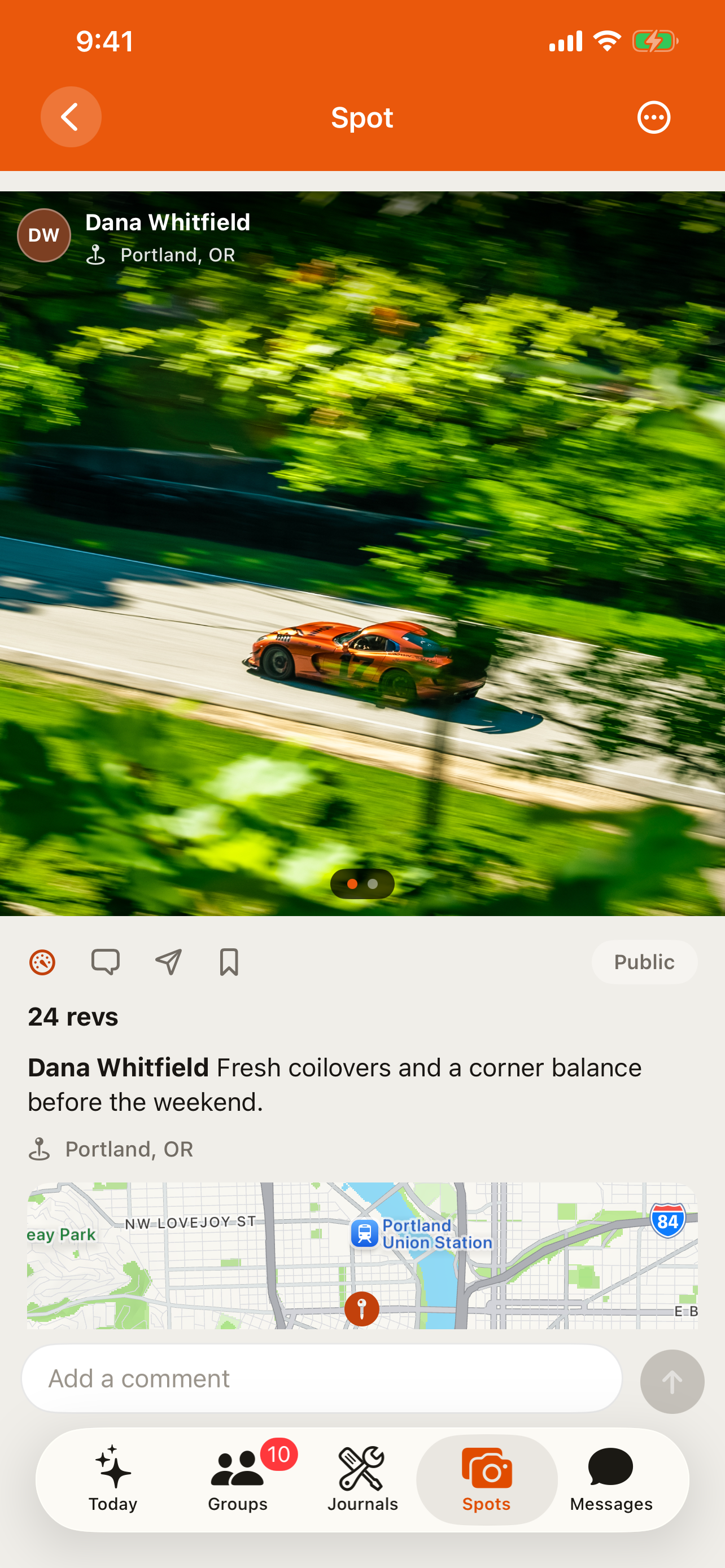
A spot is RALLIER's photo post for the automotive world: a car seen in the wild, a great driving road, a good photo location. Where it was taken matters as much as the picture itself, so a place is a near-mandatory part of every spot, not an optional tag, and it's what separates a spot from an ordinary photo post.
On the web
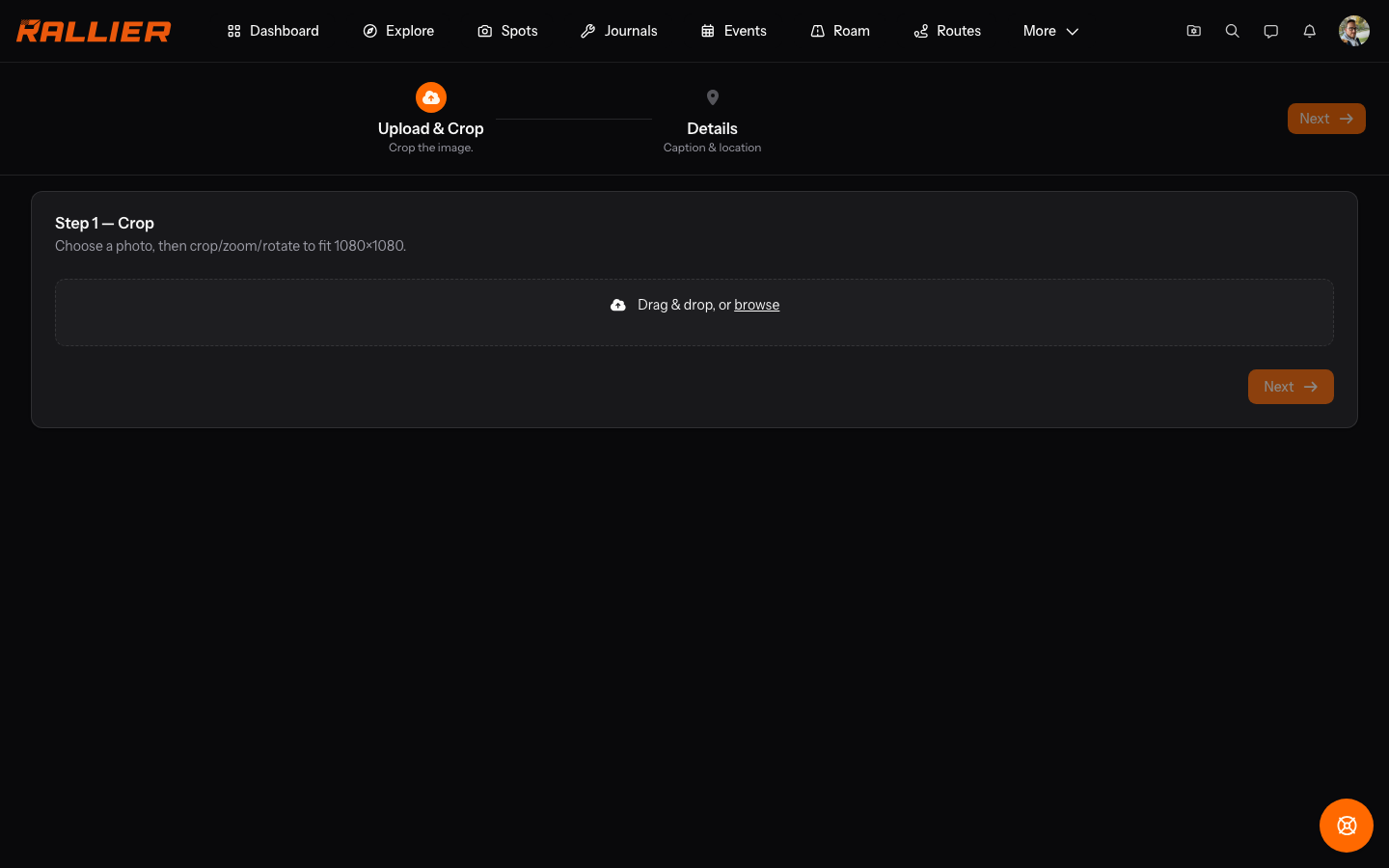
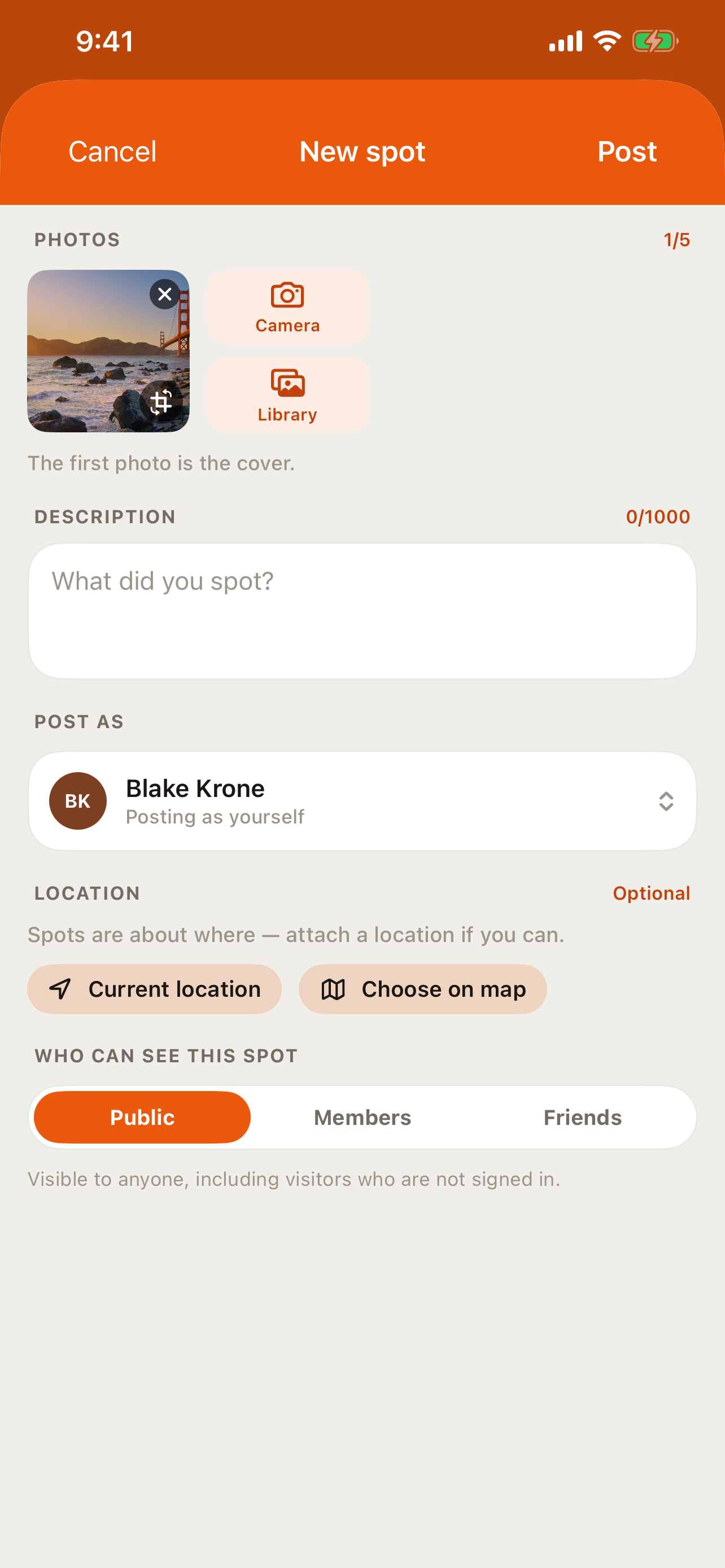
Post a spot from the upload wizard: add a photo, a caption, a place (search an address or drop a pin), and choose who can see it — public, RALLIER members only, or friends only. On someone else's spot you can give a rev (RALLIER's version of a like), leave a comment or a threaded reply, bookmark it for later, or share it straight into a direct message.
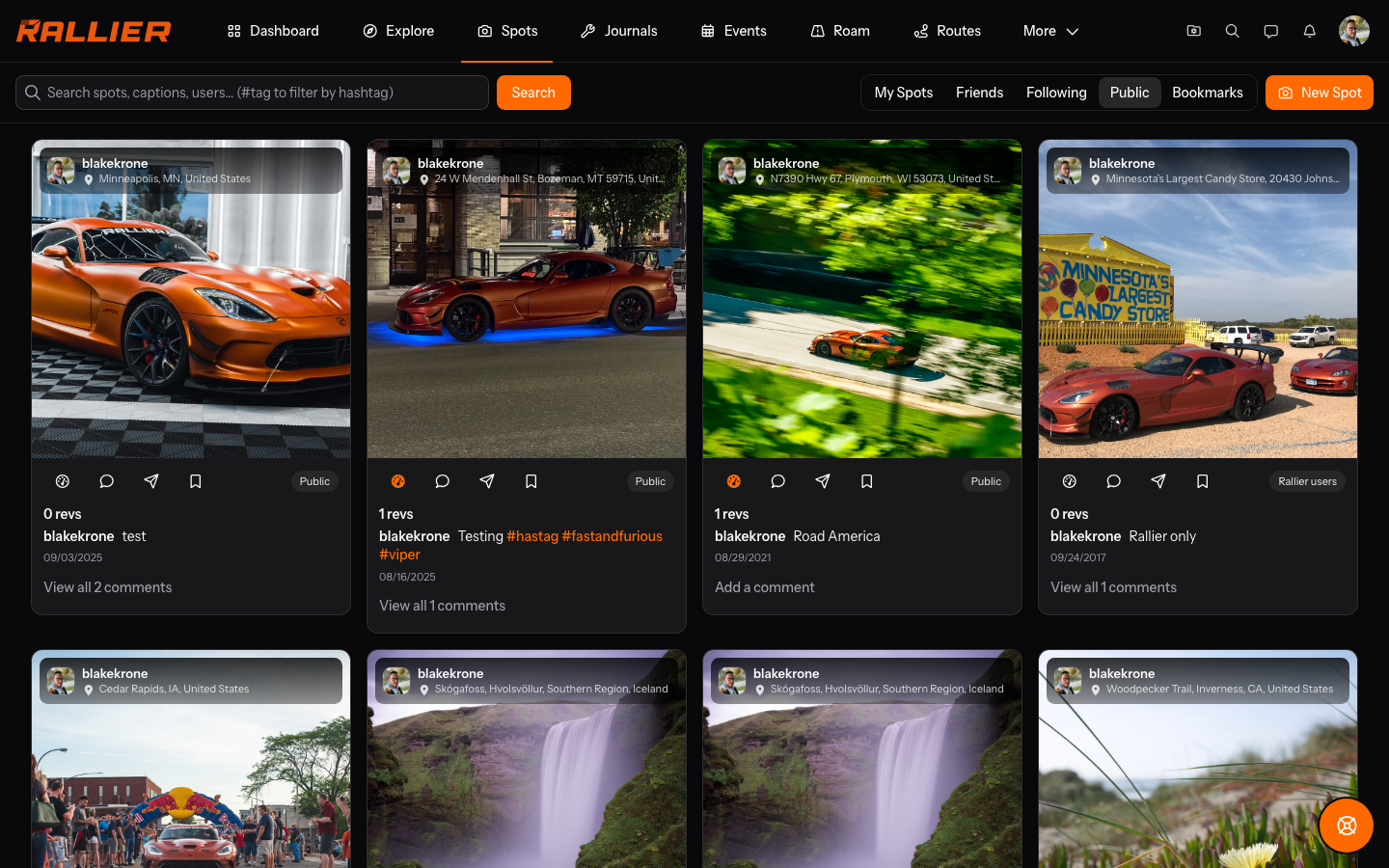
Browse spots through a few different feeds — public, friends, following, bookmarks, or just your own — and narrow any of them with a text search or a hashtag. Hashtags work the same as they do anywhere else: type one into a spot's caption and it becomes a link other members can browse by. You can post as yourself, or, if you run a business profile or a club, as that business or club instead, and the byline links to whichever one posted it, so nobody has to guess who's actually behind a spot.
In the RALLIER app
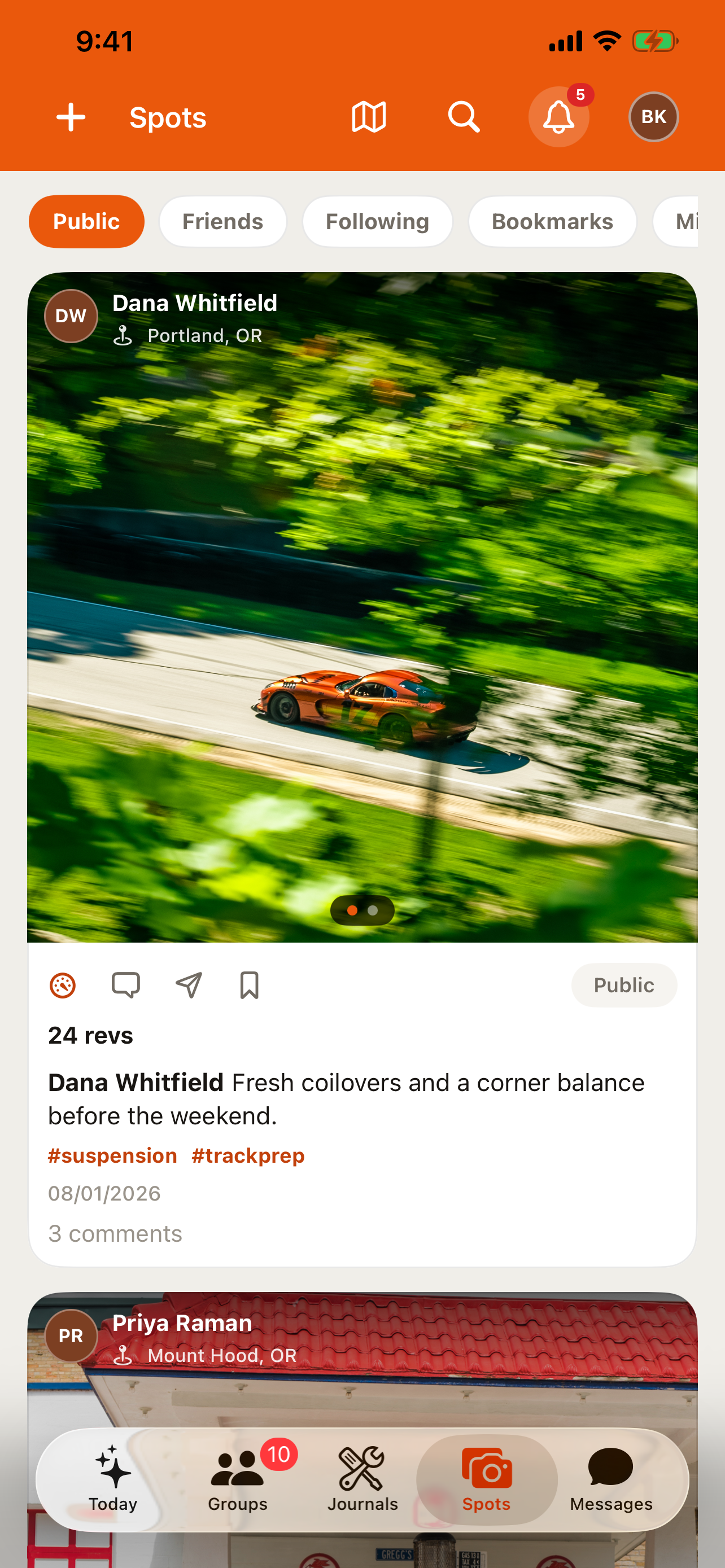
The composer supports up to five photos per spot as a carousel, with in-app crop and rotate, or you can pull from your library instead of the camera. Location attaches itself automatically — from the photo's own data or your position at the moment you shoot it — but you can drop a pin yourself or skip location altogether if you'd rather. Reverse-geocoding into a readable address happens right on your device, so the address you see before posting is the one that gets saved.
Post while offline, or have an upload fail partway, and the spot is saved as a draft and retried automatically once you're back online; nothing is lost, and a failed draft stays available to open and try again by hand. Comments and revs you make while offline aren't queued the same way — they update the screen right away, but they need a live connection to actually save. Explore's map (see Explore) sits one tap from the Spots feed as a Grid/Map toggle, so switching from scrolling photos to seeing them on a map doesn't mean leaving the tab.
Tips
- Revs, comments, and bookmarks sync instantly between the app and the web — there's only one copy of each spot.
- A spot posted without a location still shows up in every feed; it just won't appear on the map.
- Report a spot the same way you'd report anything else on RALLIER, from its own menu.
- Five photos is the limit per spot, and the first one is what shows up as the cover everywhere the spot appears as a thumbnail.
- The photo, the place, and who can see it are locked in once you post — editing a spot afterward only changes its caption and its privacy setting, not the picture or the pin.